Bitcoin Core wallets and other “core” like crypto clients

here are the steps how to extract wallet hash from Bitcoin Core wallet (wallet.dat). These instructions also apply to other “core” clients like litecoin, dogecoin, dash and many more. All they look similar to:
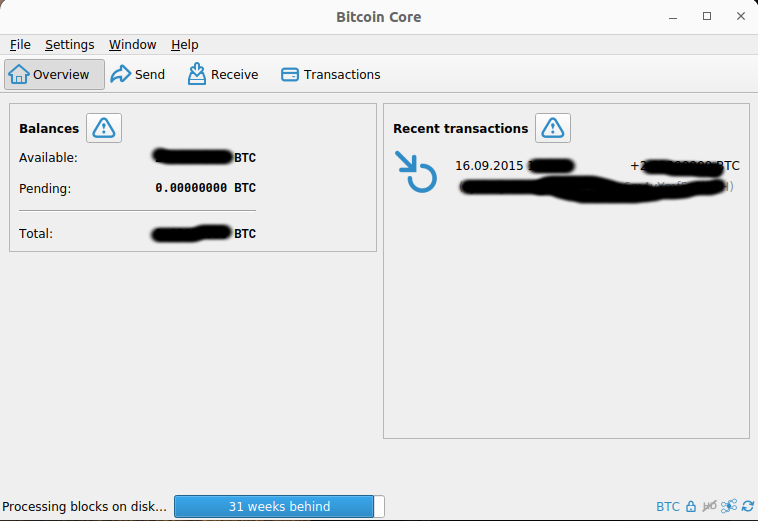
Bitcoin Core Client
Bitcoin Core Client
  1. Make a copy of your wallet.dat file. Everything you do to this file you have to make backup to make sure you are not loosing your coins. Where to find wallet.dat file? If you have installed Bitcoin Core wallet in the default directory it should be at:
    Windows
    C:\Documents and Settings\YourUserName\Application data\Bitcoin (XP)
    C:\Users\YourUserName\Appdata\Roaming\Bitcoin (Vista,7,8,10)
    Mac
    ~/Library/Application Support/Bitcoin/
    Linux/Unix
    ~/.bitcoin/
    if not search for if with command:
    find / -name wallet.dat -print 2>/dev/null
  2. Please donwload and extract JohnTheRipper
  3. Put the copy of your wallet.dat file into the JohnTheRipper-bleeding-jumbo\run\ directory, type:
    open the COMMAND PROMPT and type:
    cd {path to john the ripper}\JohnTheRipper-bleeding-jumbo\run
    and then type:
    bitcoin2john.py wallet_copy.dat
    you should get something like this: $bitcoin$64$f0ef639cd01bb26805c190e0aeba006fbdd6b817e0b6634b0fb11944bc0f19eb$16$d2542bb38e0ee061$76753$2$00$2$00
    This is the encrypted hash of your password and you should send it in the contact form instead of wallet.dat file.
  4. if you have errors like: File "../run/bitcoin2john.py”, line 639, in parse_wallet d.update(parse_BlockLocator(vds))TypeError: ‘NoneType’ object is not iterable In the hashes file, it like that:ERROR parsing wallet.dat, type bestblockkey data: bestblockkey data in hex: …
  5. you need to fix your copy of wallet.dat file. In order to do that download Bitcointools (bitcointools-master) and extract it. Put copy of the wallet.dat file into the extracted directory and run this command:
    fixwallet.py --datadir=C:\Users\YourUserName\Appdata\Roaming\Bitcoin --nosettings --noaccounts --notxes --noaddresses --out=another_copy_of_wallet.dat

    Replace –datadir section with you path to bitcoin core. Use this new copy of your wallet file only to extract the encrypted hash. Go back with this file to the step 2.

If you have any problems please contact us.

  • The XRP Regular Key Blackhole: How Users Accidentally Lock Themselves Out Forever

    XRP Ledger users face a critical vulnerability that can permanently lock them out of their accounts through a technical flaw known as the fixMasterKeyAsRegularKey bug. This devastating wallet issue has trapped unsuspecting users in an unrecoverable “blackhole” scenario, making professional wallet recovery services essential for affected accounts. What is the XRP Regular Key Blackhole? The…

  • The $10,000 Mistake: How One Wrong Click Can Make Your Crypto Vanish (And How to Get It Back)

    The Cross-Chain Crisis That’s Costing Crypto Users Millions Every day, crypto users lose thousands of dollars due to cross-chain transfer mistakes. Whether you’re switching from BNB Smart Chain to BASE, sending tokens to the wrong network, or falling victim to a simple “fat finger” error, these blockchain blunders are more common than you might think.…

  • Getting Your Crypto Back: recover Solflare Desktop Wallet Extension

    Desktop Extension ONLY no mobile WALLET SUPPORT! Losing access to your cryptocurrency can be scary. Many wallet companies tell you that if you lose your password or seed phrase, your money is gone forever. Walletpasswordrecovery.com offers something different – a way to get your funds back even if you forget these important details. What you…

  • Professional Wallet Recovery Services: Regain Access to Your Digital Assets Securely

    In today’s digital age, losing access to your cryptocurrency wallet can be a devastating experience. Whether you’ve forgotten your password, lost your recovery phrase, or encountered technical issues, professional wallet recovery services offer hope for regaining access to your digital assets. This comprehensive guide explores how WalletPasswordRecovery.com provides reliable, cost-effective solutions for cryptocurrency wallet recovery.…

  • Recovering Your Phantom Wallet Chrome Extension: A Complete Guide

    Losing access to your Phantom wallet can be stressful, especially when you have digital assets stored there. This guide will walk you through the recovery process for your Phantom wallet Chrome extension, ensuring you can safely regain access to your funds. What if I already have the extension installed but forgot the password? This topic…